- C++ 92.7%
- GLSL 2.4%
- C# 1.2%
- CMake 1.1%
- Shell 1%
- Other 1.6%
| .idea | ||
| .vscode | ||
| cmake | ||
| CrashReports | ||
| docs | ||
| include | ||
| Nebula@b9b7cfc9d0 | ||
| NebulaBindings | ||
| redist | ||
| Resources | ||
| Scripts | ||
| src | ||
| tools | ||
| .gitattributes | ||
| .gitignore | ||
| .gitmodules | ||
| AGENTS.md | ||
| build.bat | ||
| build.ps1 | ||
| build.sh | ||
| buildandrun.sh | ||
| CLAUDE.md | ||
| CMakeLists.txt | ||
| glcheck.cpp | ||
| hub.json | ||
| imgui.ini | ||
| Jenkinsfile | ||
| LICENSE.md | ||
| moducpp.tmLanguage.json | ||
| modularity-utf8.manifest | ||
| powershell | ||
| README.md | ||
| TheSunset.ttf | ||
| Thesunsethd-Regular (1).ttf | ||







|
Welcome!Modularity (also known as ModuEngine) is a custom game engine built around a simple idea: your tools should adapt to your project, not the other way around. It combines a native C++ runtime, a built-in editor, a package-based workflow, and the friendly ModuCPP scripting layer so you can move from an idea to a playable build without stitching together a dozen separate tools. The project is under active development. There are polished, useful systems here today, but there are also experimental areas and a few rough edges. We would rather be clear about those than pretend otherwise. Feedback, bug reports, documentation fixes, and any focused code contributions are all genuinely welcome. |
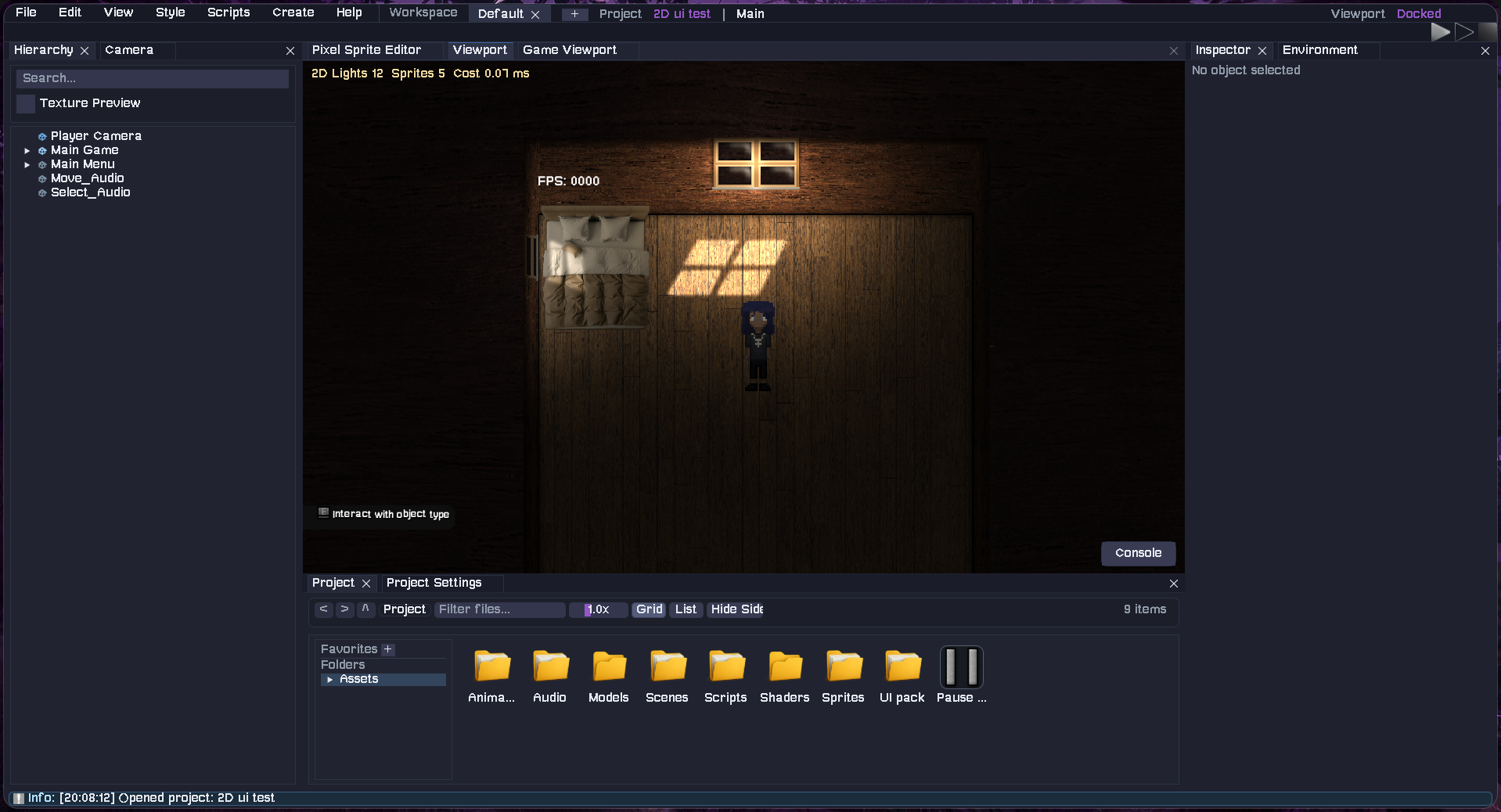
What can you build with it?
2D games and UI-heavy experiences |
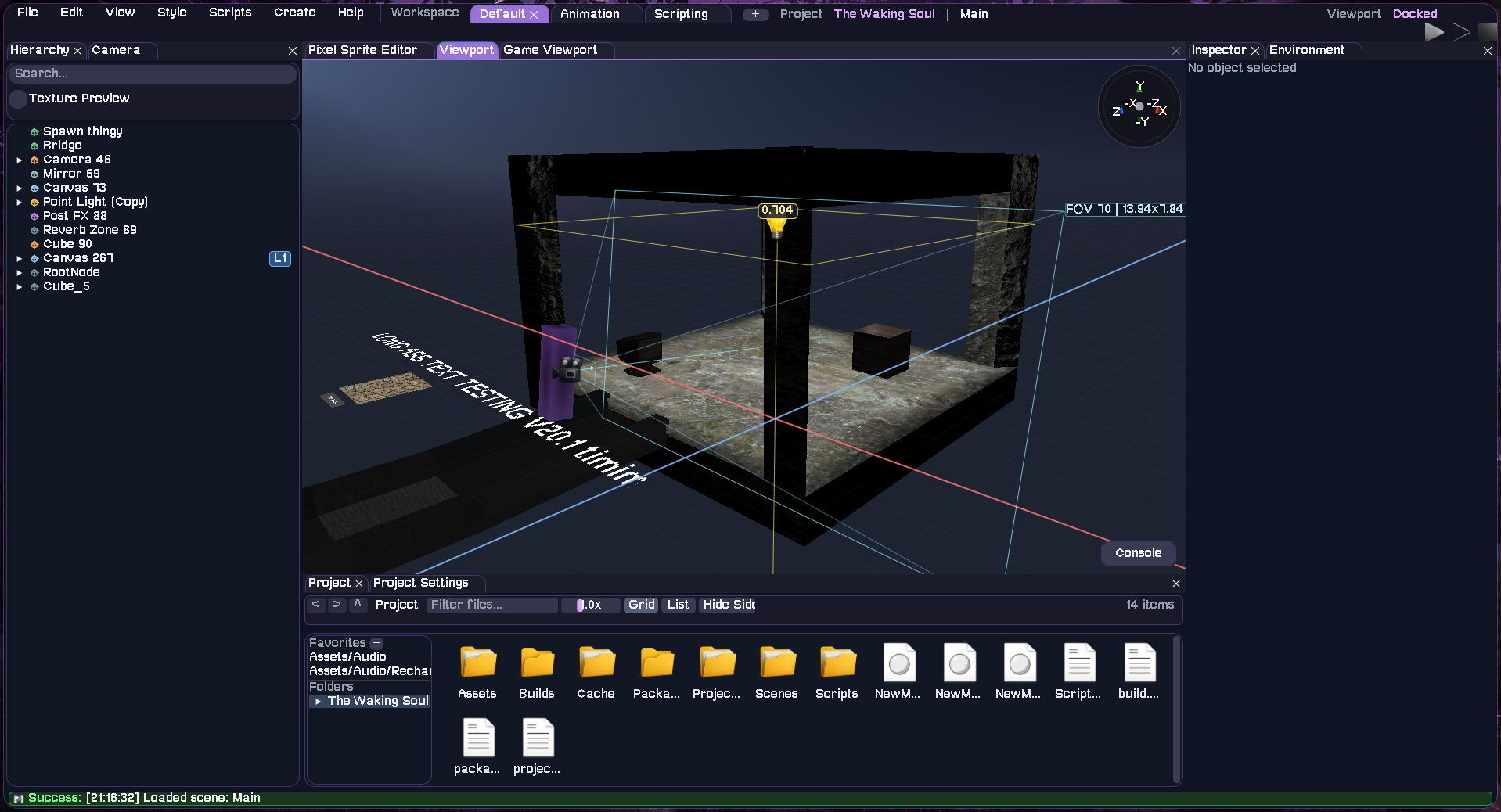
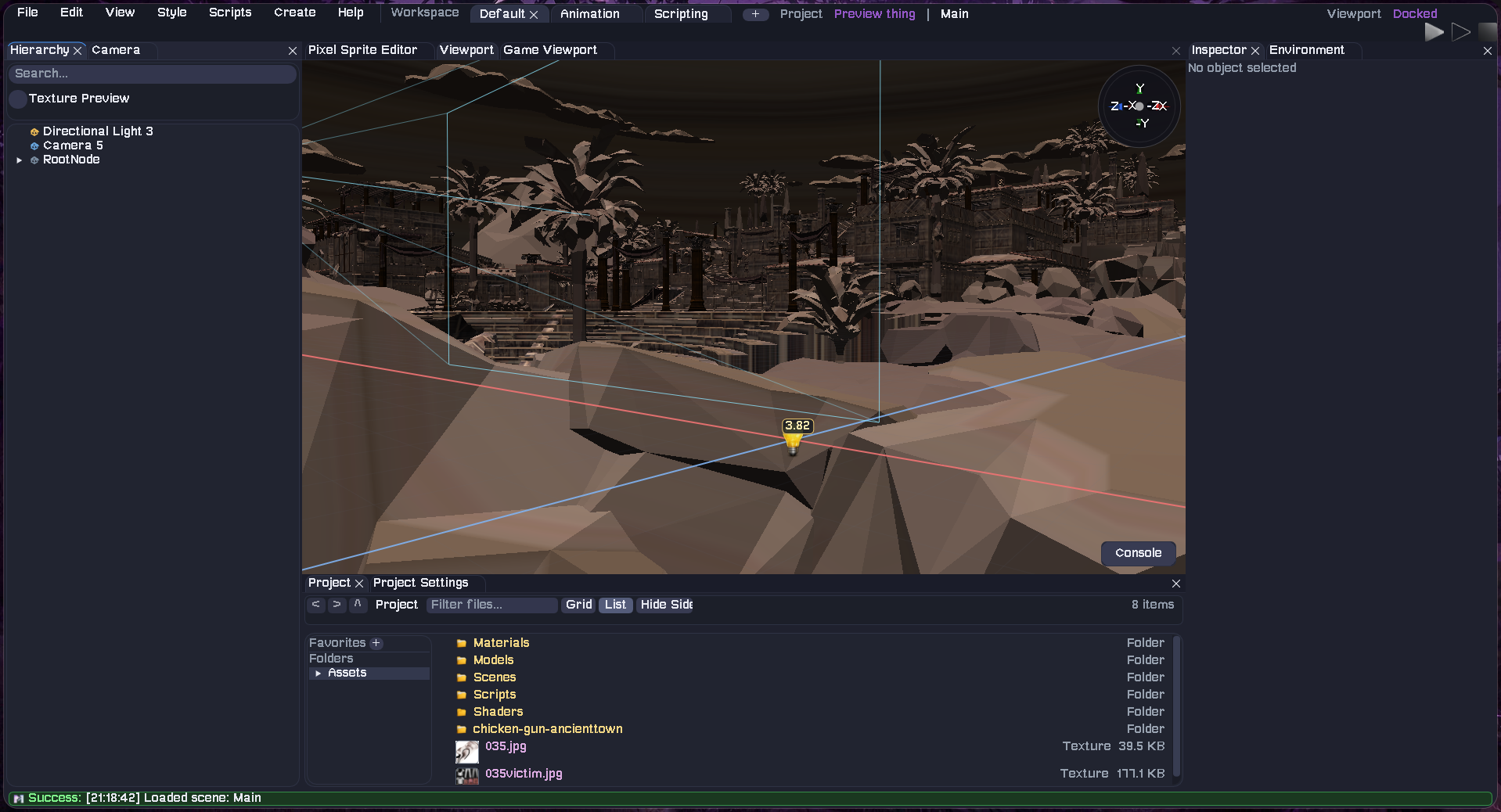
3D worlds and mixed 2D/3D projects |
Modularity includes:
- An integrated editor with a scene hierarchy, inspector, asset browser, project settings, viewport gizmos, build tools, profiling views, and reusable layouts.
- 2D and 3D rendering through OpenGL, including model and texture loading, skyboxes, custom shaders, render targets, and post-processing such as bloom, color adjustment, motion blur, vignette, chromatic aberration, and ambient occlusion.
- ModuCPP scripting, the recommended high-level gameplay layer. ModuCPP scripts are transpiled to native C++, expose public fields in the inspector, and can be compiled from inside the editor.
- Lower-level scripting options through native C++, a C runtime bridge, and experimental managed C# support through Mono.
- Physics for different project shapes with Jolt as the default 3D backend, optional PhysX support, and a lightweight built-in 2D simulation.
- Animation tools for transform keyframes and imported skeletal animation, with optional GPU skinning.
- Audio tooling powered by miniaudio, including spatial playback, looping, preview controls, rolloff, and reverb zones.
- A component-style scene system for cameras, lights, renderers, rigidbodies, colliders, sprites, UI, scripts, audio, animation, and post-processing.
- Package and export workflows for script dependencies,
.modupakcontent, editor builds, standalone players, Windows cross-builds, and Android APKs.
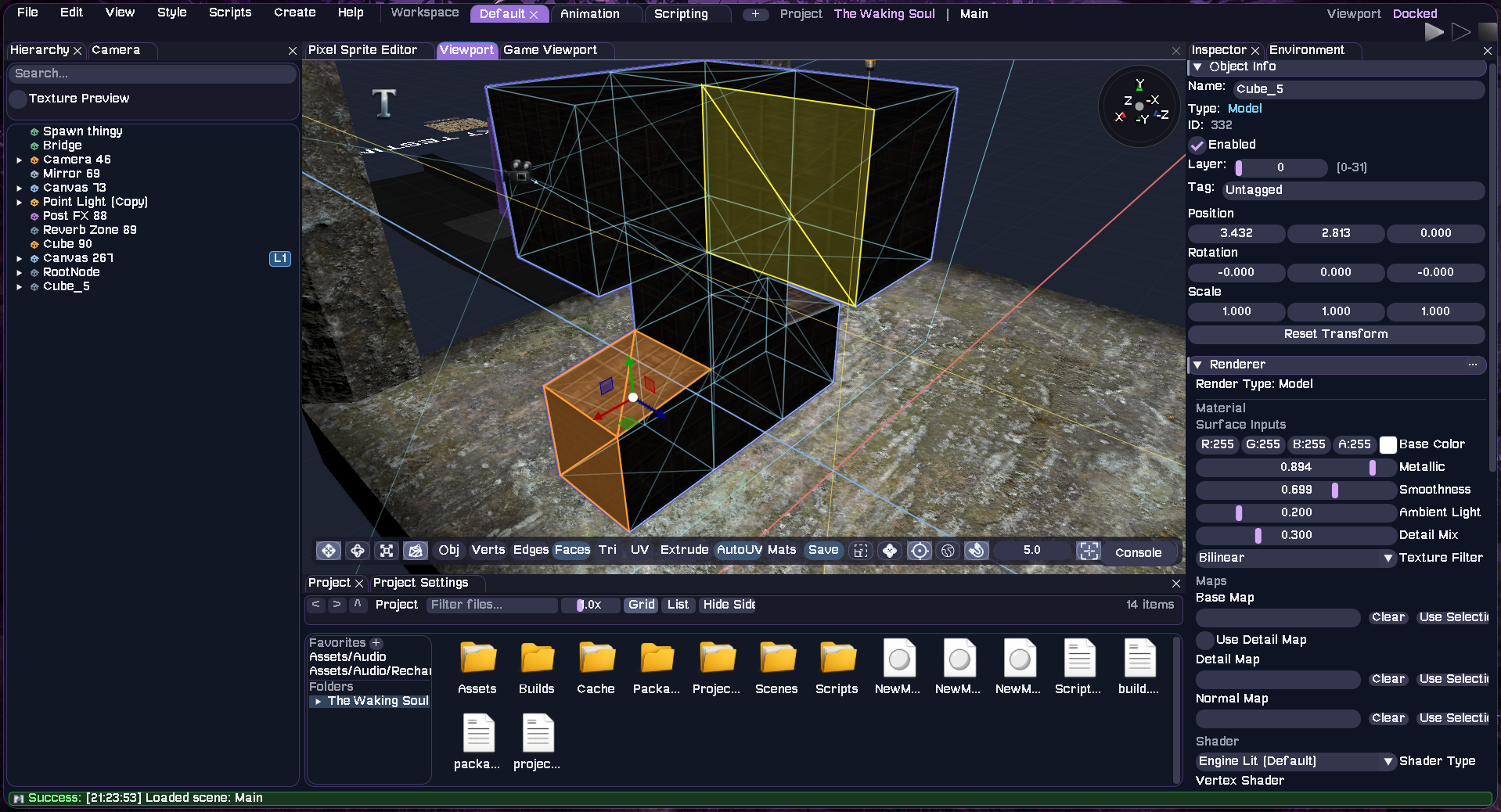
Animate objects and UI on a keyframe timeline |
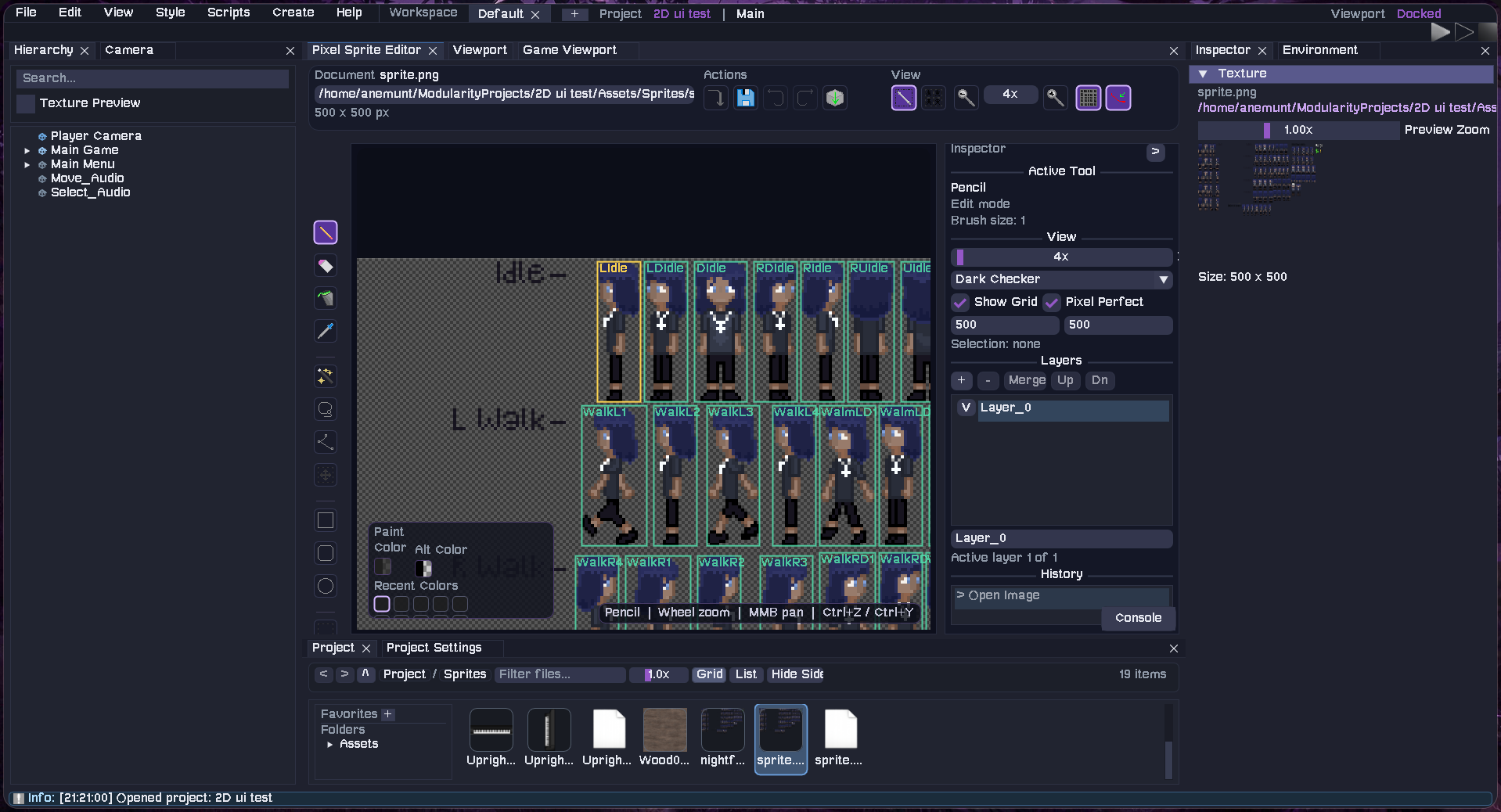
Edit pixel art and sprite sheets without leaving the engine |
How a typical project comes together
- Create or open a project from the launcher. Project content lives mostly under
Assets/, while generated data stays underLibrary/. - Build a scene by adding objects in the Hierarchy and editing components in the Inspector. Scenes are stored as readable
.scenefiles, which makes them friendlier to version control. - Import your assets: models, textures, audio, shaders, sprites, and scripts through the asset browser.
- Add behavior with ModuCPP or one of the lower-level scripting surfaces. Scripts can be compiled from the file browser or a script component in the Inspector.
- Press Play, Spec, or Test to run scripts and simulations without mixing runtime changes into normal edit mode.
- Build a standalone player or APK through the editor's build settings or the command-line build workflow.
Here is a small ModuCPP script that updates a UI text object every frame:
add ModuCPP;
add ModuEngine;
public class FPSDisplay : ModuNode {
    public string prefix = "FPS: ";
    void TickUpdate() {
        obj.UILabel = prefix + IntR(ModuEngine.FPS);
    }
}
Save scripts under your project's Assets/Scripts/ directory, attach them to a scene object, and compile them in the editor. Public fields such as prefix are persisted and exposed in the Inspector automatically.
For a deeper tour, visit the Engine Handbook, read the repository's engine overview, or jump into the ModuCPP manual.
Build and run
Linux
The build script checks system dependencies, syncs submodules and Git LFS content, configures CMake, builds the editor and standalone player, and creates a package:
git clone --recurse-submodules https://pak.moduengine.xyz/Tareno-Labs-LLC/Modularity.git
cd Modularity
git lfs install
git lfs pull
./build.sh
./build/Modularity
To open an existing project directly:
./build/Modularity --project /path/to/project.modu
Useful development builds include:
./build.sh --clean
./build.sh --build-type=Debug
./build.sh --build-type=Debug --fsanitize
./build.sh --Windows
./build.sh --Android --project=/path/to/project.modu
Windows
From a developer command prompt with Git, Git LFS, CMake, and the Visual Studio C++ toolchain available:
git submodule update --init --recursive
git lfs install
git lfs pull
build.bat
The usual Release outputs are build\Release\Modularity.exe for the editor and build\Release\ModularityPlayer.exe for the standalone runtime.
See docs/Build.md for build flags, Android requirements, packaging, CPU compatibility, and release verification details.
Project status and known limitations
Modularity is usable, but it is still growing quickly. These are the important expectations to set before you dive in:
| Area | Current status |
|---|---|
| Automated tests | There is no automated test suite yet. Changes are currently verified by building and running both the editor and the standalone player. |
| Vulkan | The Vulkan renderer is experimental. OpenGL is the established rendering path. |
| Managed C# | Mono-backed C# scripting is experimental and may be unavailable when Mono is not installed or on builds that disable it. ModuCPP is the recommended scripting surface. |
| Android | Player APK builds are supported, while the editor APK and on-device script compilation remain experimental. arm64-v8a is the routinely used ABI, and whole-folder import is not currently available in the Android editor. |
| Windows cross-builds | Linux-to-Windows MinGW builds disable Mono, PhysX, Vulkan, sndfile, and opusfile unless matching Windows-target dependencies are wired in. Native Windows builds have a different feature path. |
| Helper launcher | buildandrun.sh still targets the legacy build/main executable name. Until it is updated, run ./build.sh followed by ./build/Modularity. |
| APIs and file formats | Engine and experimental scripting APIs can still evolve. Keep changes focused and call out compatibility or serialization changes in your pull request. |
If you run into something not listed here, please open an issue. A small reproducible project, crash report, screenshot, or log excerpt can save a lot of guesswork.
Contributing
You do not need to arrive with a huge engine feature. Fixing a typo, improving a confusing error message, testing a different machine, documenting an edge case, or reducing a reliable crash is valuable work.
A friendly contribution workflow
- Check the open issues or open a discussion issue before starting a large architectural change.
- Fork the repository and create a focused branch from
main. - Build once before changing anything so you know your local toolchain and dependencies are healthy.
- Make the smallest coherent change that solves the problem. Follow nearby naming and code style, and reuse the existing renderer, editor, scene, scripting, serialization, asset, and audio systems.
- Avoid changing files under
src/ThirdParty/unless the contribution is specifically about that dependency. - Verify the editor and player. For risky native-code changes, a Debug build with
--fsanitizeis strongly encouraged on supported platforms. - Open a pull request explaining what changed, why it changed, how you tested it, and any known tradeoffs or follow-up work.
Before opening a pull request. Please ensure that:
- The change is focused and does not include unrelated formatting or generated build output.
- The editor builds and launches.
- The standalone
ModularityPlayerstill builds, loads scenes, and runs scripts where relevant. - New behavior is documented, including experimental status or known limitations.
- Scene, material, project, package, or script serialization changes have been checked for compatibility.
- Engine modifications comply with the project license.
Reporting a bug
Please include as much of the following as you can:
- Your operating system, compiler/toolchain, GPU, and the commit or build you used.
- Clear reproduction steps and what you expected to happen.
- What actually happened, including the full error message.
- Relevant console output or files from
CrashReports/. - A minimal project or scene when the issue depends on project content.
- Screenshots or a short recording for editor and rendering issues. One reminder: No report has to be perfect. If you can reproduce the problem but are unsure where it lives, no worries! You can open an issue anyway and say what you already tried.
Repository guide
| Path | What lives there |
|---|---|
src/ and include/ |
Engine runtime, renderer, editor, platform, scene, physics, audio, and scripting code |
Scripts/ |
Shipped ModuCPP examples and engine-side script samples |
Resources/ |
Shaders, textures, fonts, sounds, editor resources, and other runtime assets |
docs/ |
Build, engine architecture, platform, scripting, and ModuCPP documentation |
cmake/ and CMakeLists.txt |
Build configuration and platform feature switches |
tools/ |
Build and release support utilities |
redist/ |
Redistributable runtime files used by packaged builds |
License
Modularity is distributed under the Tareno-Labs Community Use License 1.2. In short, you may build commercial or closed-source games and applications with the engine, create marketplace content, and modify the engine. If you distribute a modified version of the engine itself, its corresponding source must remain available under the same license, and your modifications must be identified. The summary above is not legal advice; the full license text is authoritative.
Questions, experiments, bug reports, and first-time contributions are welcome here.